

How to save recipes from Instagram
Tap Share on the post or Reel, copy the link, and paste it into Cookmarks. It reads the caption and turns it into a recipe with ingredients and steps, credited to the creator. If the caption says the recipe is “in bio”, Cookmarks looks for the link the creator posted with it.
Last checked
Step by step
Save an Instagram recipe in under a minute
On your phone
Copy the post’s link
In Instagram, tap the Share (paper plane) icon under the post or Reel, then tap Copy link.
Paste it into Cookmarks
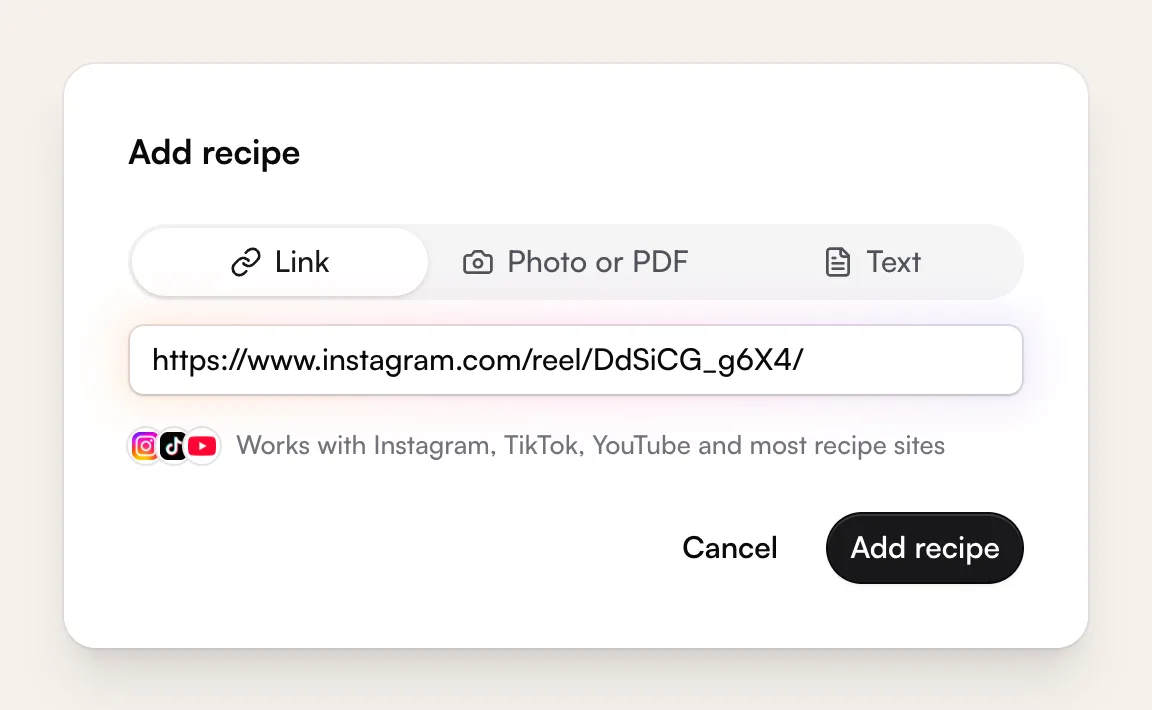
Open cookmarks.app in your phone’s browser and tap + (Add recipe), or “Try it” if you don’t have an account yet. Paste the link and tap Add recipe.
Check it and save
Cookmarks pulls out the title, ingredients and steps, and credits the creator with a link back to the post. If anything looks off, you get to check it before it’s saved.
Or share straight to the app. Using the Cookmarks iPhone or Android app (in beta)? Tap Share on the post, open your phone’s share sheet (in some apps it’s “Share to…” or “More”) and pick Cookmarks. No copying or pasting. About the beta
On a computer
Copy the link
Open the post on instagram.com and copy the address from the address bar (or ⋯ › Copy link).
Paste it into Cookmarks
In Cookmarks, click Add recipe (or press N), paste the link and click Add recipe.
Check it and save
Cookmarks pulls out the title, ingredients and steps, and credits the creator with a link back to the post. If anything looks off, you get to check it before it’s saved.
When the recipe isn’t in the caption
Lots of creators put the recipe somewhere else. Here’s what Cookmarks does, in order:
What Cookmarks tries
A link in the caption
If the caption links to a recipe page, Cookmarks follows it and saves the recipe from that page.
“Link in bio” or “comment for the recipe”
Cookmarks checks the creator’s link-in-bio page for the link they posted with that post. This works for creators who use LikeShop, Later’s linkin.bio or Link in Profile, which list each post with its link. Linktree and similar pages don’t, so those come up empty. If it can’t find the recipe, comment as usual, then paste the recipe link they send you or screenshot the DM.
Suggestions from the creator’s site
Signed in, Cookmarks can search the creator’s own website for the dish and show a few matches. You pick the right one; nothing is saved until you do.
Paste it or add screenshots
Paste the recipe text, or add up to 6 screenshots of it. Cookmarks keeps the post as the source and credits the creator. Screenshots and pasted text don’t count toward your free Instagram, TikTok and YouTube imports.
Still stuck? Signed in, you can tap “Ask us to import it” and we’ll get the recipe into your library.
What doesn’t work
- Cookmarks reads the caption, not the video. A recipe that’s only spoken in a Reel, or only shown on screen, needs screenshots or pasted text.
- Recipes written on carousel slides aren’t read from the images. Screenshot the slides instead.
- Private accounts and posts Instagram hides behind a login can’t be read. Screenshots still work.
- Facebook posts aren’t supported yet.
Your Instagram saves, as real recipes
Plan them into your week and shop from one list. Free accounts keep up to 40 recipes and include 5 imports from Instagram, TikTok and YouTube.