
How to save recipes from YouTube
Copy the video’s link (Share › Copy link) and paste it into Cookmarks. It uses the recipe in the description, or the recipe page the description links to. When the recipe is only in the video, Cookmarks watches it and writes down what’s said and shown.
Last checked
Step by step
Save a YouTube recipe in under a minute
On your phone
Copy the video’s link
In the YouTube app, tap Share under the video (or on the Short), then Copy link.
Paste it into Cookmarks
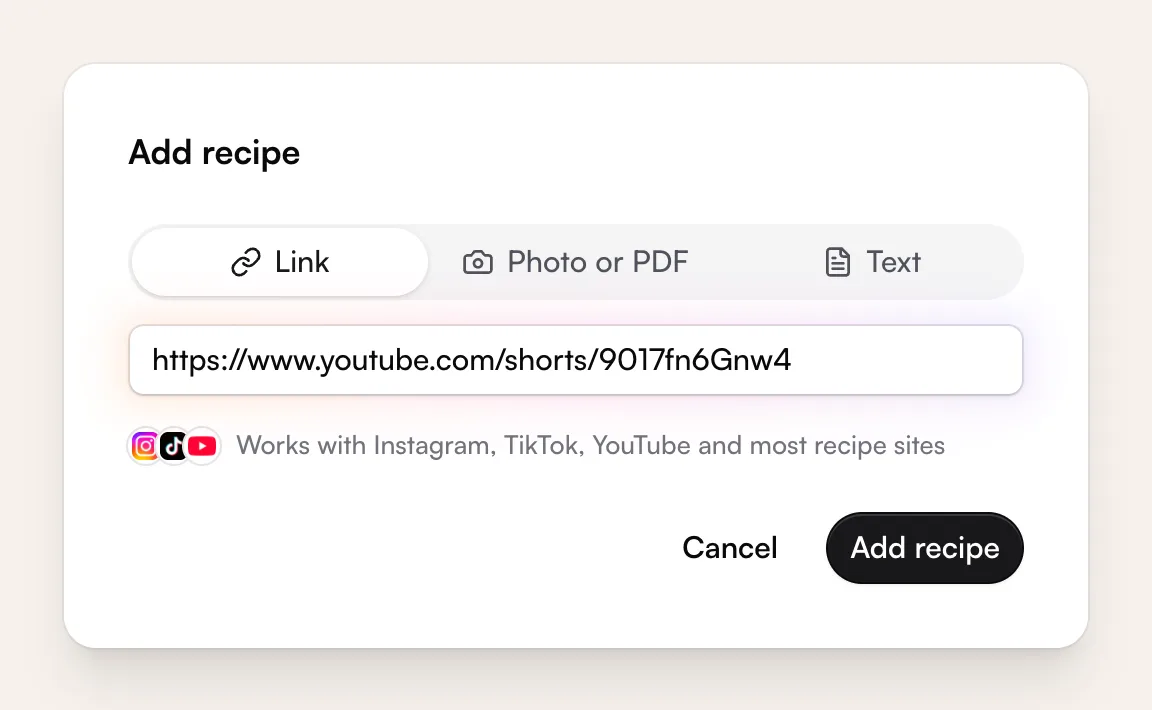
Open cookmarks.app in your phone’s browser and tap + (Add recipe), or “Try it” if you don’t have an account yet. Paste the link and tap Add recipe.
Check it and save
Cookmarks pulls out the title, ingredients and steps, and credits the creator with a link back to the post. If anything looks off, you get to check it before it’s saved. The video stays with the recipe, playing from the creator’s own channel, so you can watch along while you cook.
Or share straight to the app. Using the Cookmarks iPhone or Android app (in beta)? Tap Share on the post, open your phone’s share sheet (in some apps it’s “Share to…” or “More”) and pick Cookmarks. No copying or pasting. About the beta
On a computer
Copy the link
Copy the video’s address from the address bar, or click Share › Copy.
Paste it into Cookmarks
In Cookmarks, click Add recipe (or press N), paste the link and click Add recipe.
Check it and save
Cookmarks pulls out the title, ingredients and steps, and credits the creator with a link back to the post. If anything looks off, you get to check it before it’s saved. The video stays with the recipe, playing from the creator’s own channel, so you can watch along while you cook.
When the recipe isn’t in the description
Plenty of cooks just talk you through it. Cookmarks handles that too.
What Cookmarks tries
A link in the description
If the description links to the recipe on the creator’s site, Cookmarks saves it from there.
Recipe only in the video
Cookmarks watches the video and writes down the ingredients and steps that are said or shown. This takes a little longer, usually under half a minute. If no method is given, it saves the ingredients and lets you add the steps.
Paste it or add screenshots
Paste the recipe text, or add up to 6 screenshots of it. Cookmarks keeps the post as the source and credits the creator. Screenshots and pasted text don’t count toward your free Instagram, TikTok and YouTube imports.
Still stuck? Signed in, you can tap “Ask us to import it” and we’ll get the recipe into your library.
What doesn’t work
- Private, members-only and age-restricted videos can’t be read.
- For long videos, only the first 20 minutes are watched.
- Watching videos costs us real money, so there’s a daily limit. If you hit it, paste the recipe or add screenshots, or try again tomorrow.
- Amounts that aren’t said or shown aren’t made up, so check the recipe before you cook.
Your YouTube saves, as real recipes
Plan them into your week and shop from one list. Free accounts keep up to 40 recipes and include 5 imports from Instagram, TikTok and YouTube.